
GAME MODERATION
DONE RIGHT
Turn player reports into structured Discord tickets, review every decision in one workspace, and give your community a clear appeals process.
Try the reporting flow
Open either preview to see what players experience when submitting a report or appeal.
Everything your team needs
Ticket System
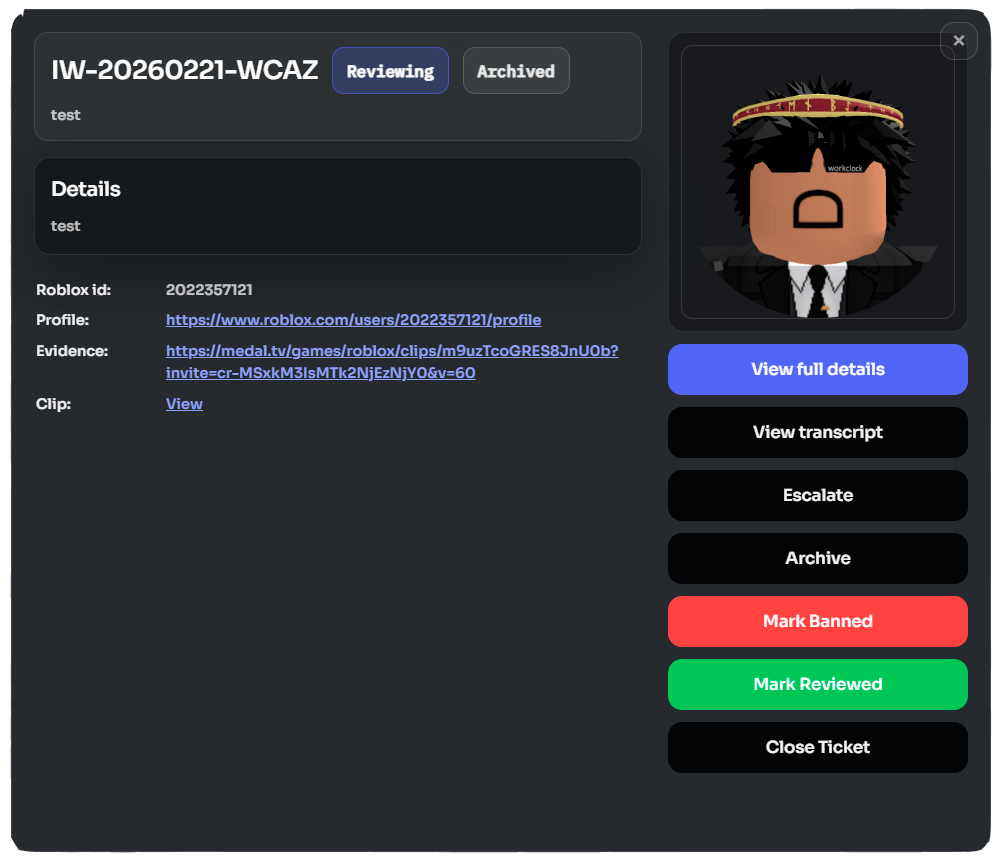
Reports from in-game or Discord instantly open a structured ticket channel with all evidence attached — no manual routing.
Staff Dashboard
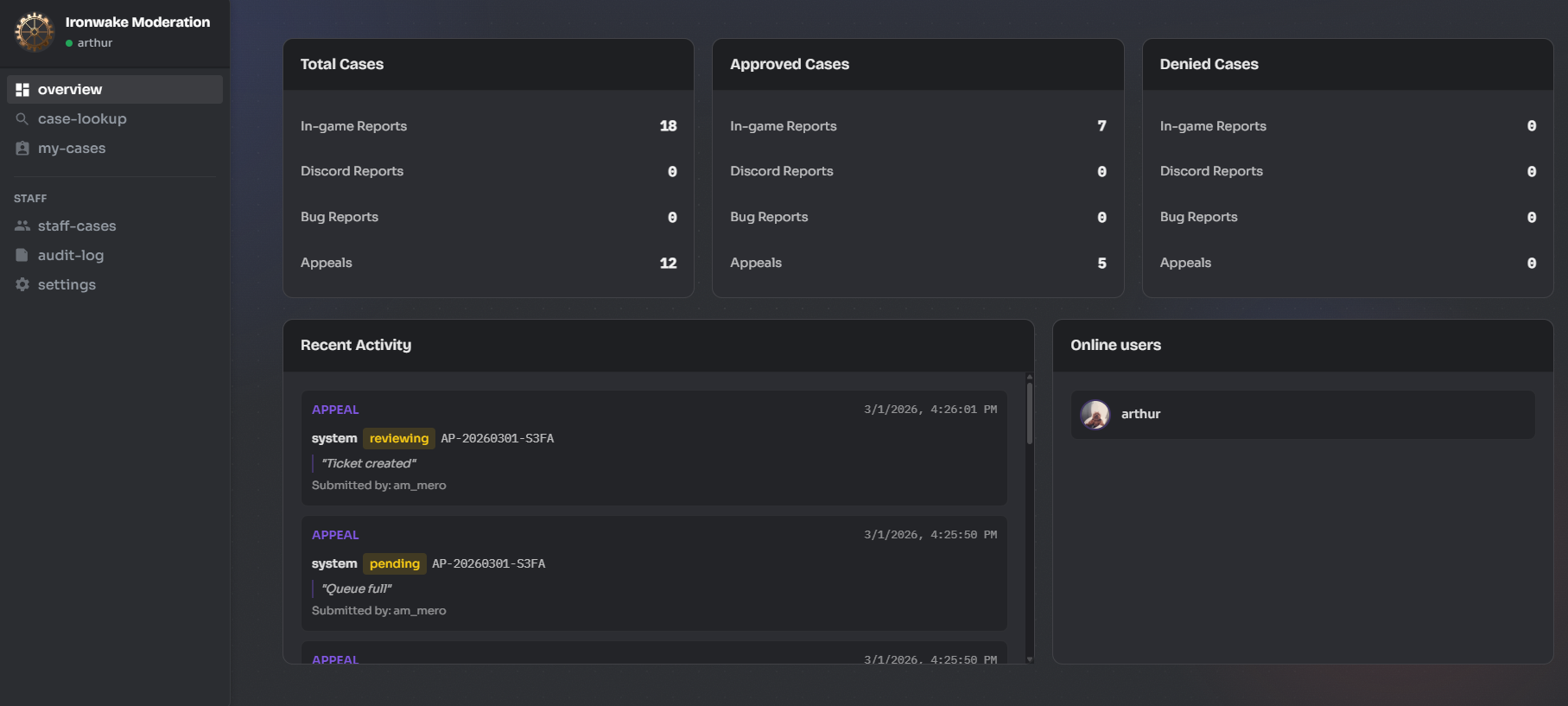
Monitor team activity, case volume, and approval rates in real time from the web dashboard. No Discord context-switching needed.
Appeal Hub
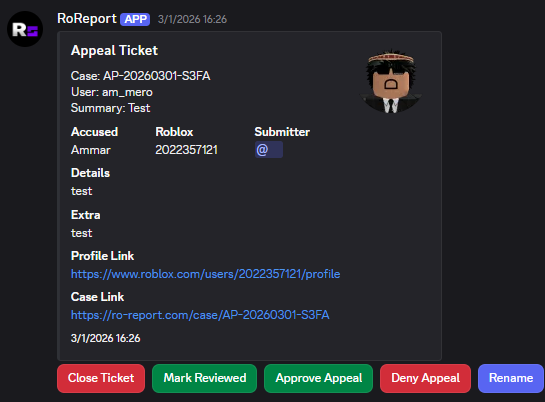
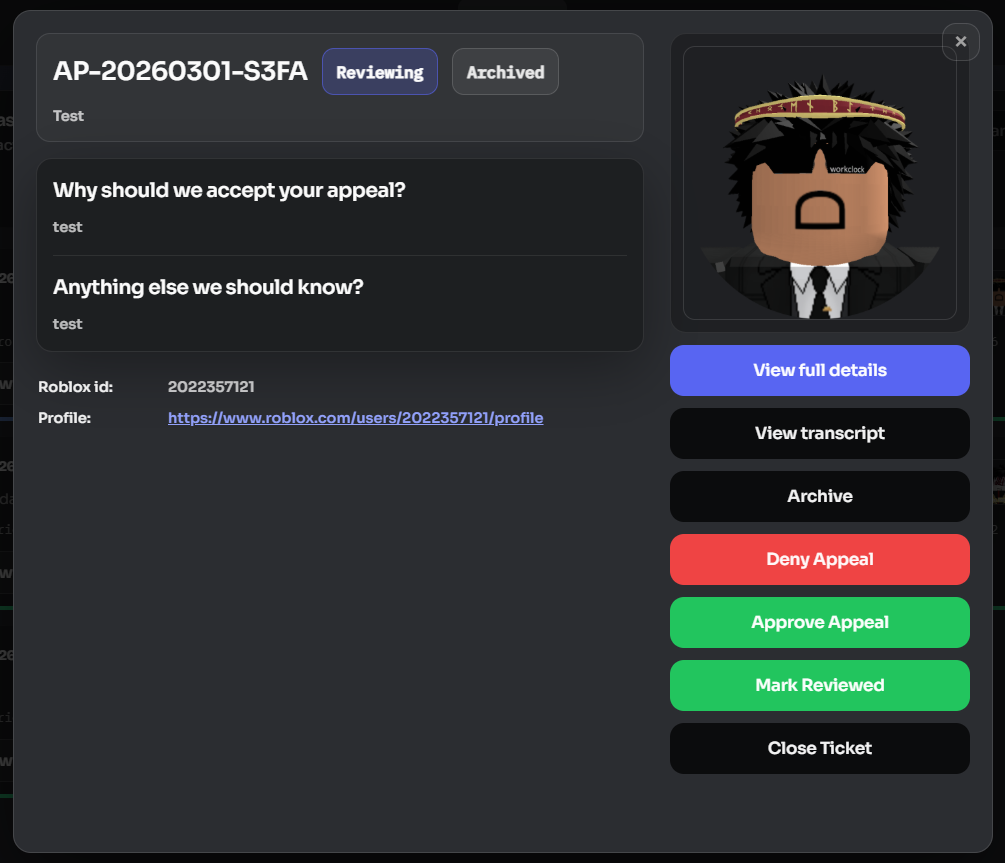
Banned players submit appeals through a web form. Appeals land in a private staff channel as structured tickets, ready for review.
Case Browser
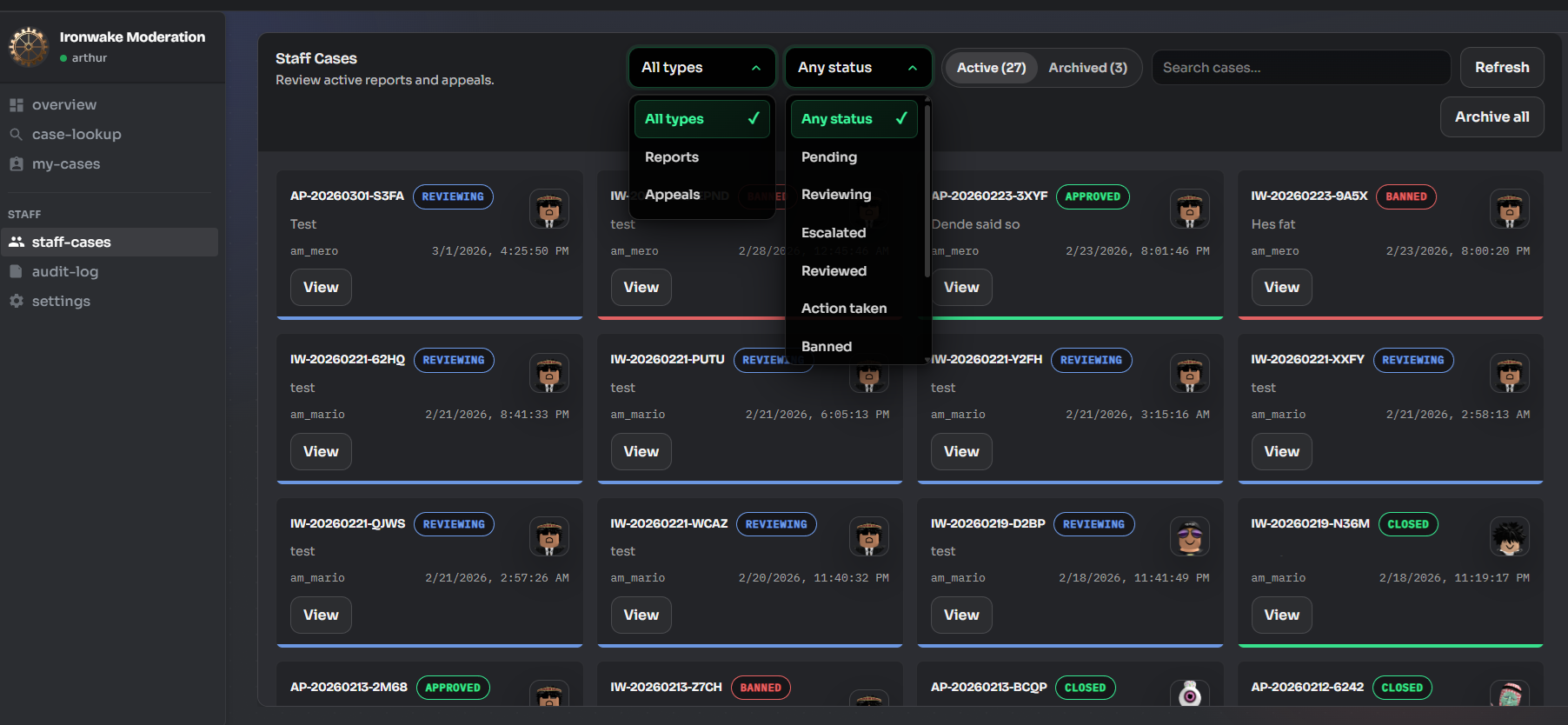
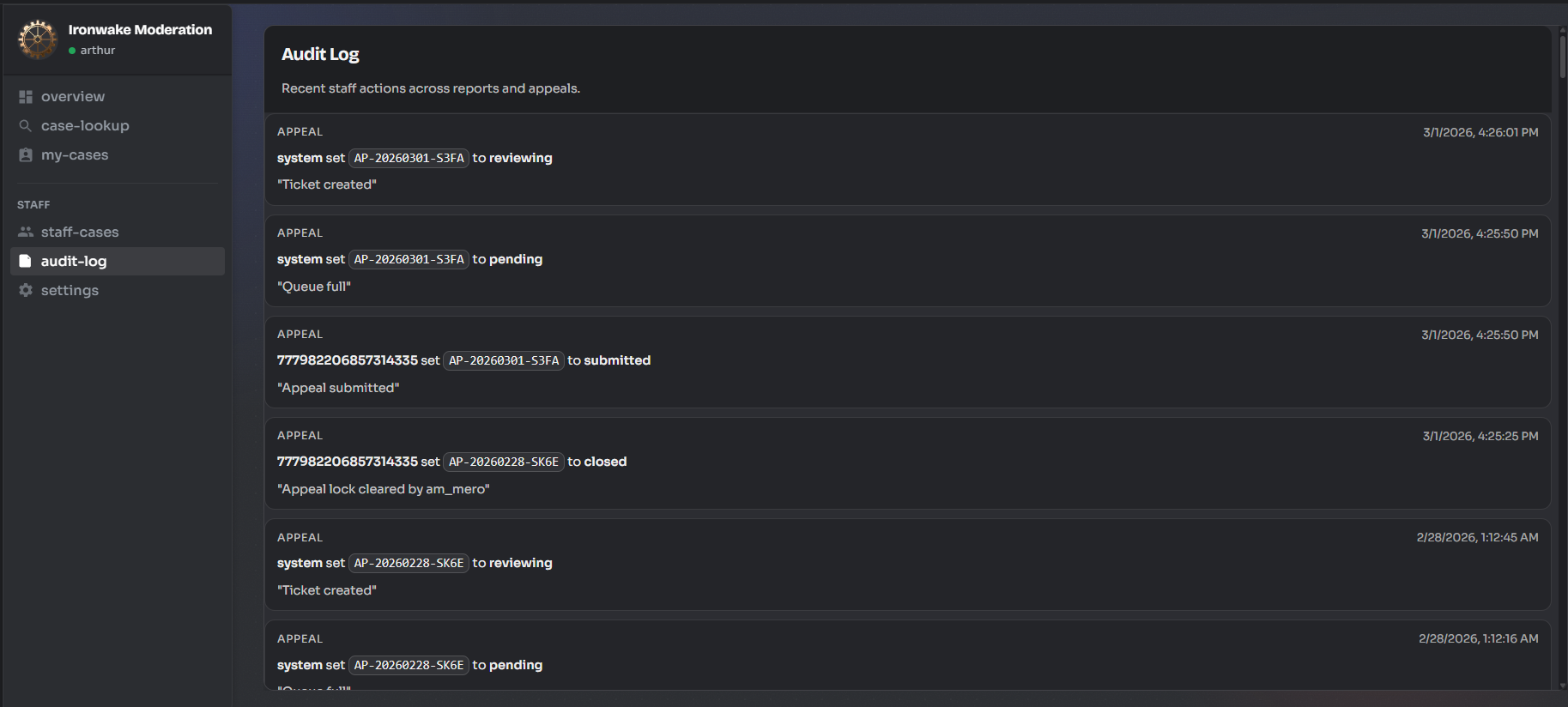
Search, filter, and audit every report and appeal from a single interface. Full history per case with staff action logs.
Plans that grow with you
Frequently Asked Questions
Can I change plans later?
Yes. You can change your plan at any time, and the update takes effect immediately.
What happens to my data?
Your reports, appeals, and configuration stay exactly where they are when you switch plans.
Why do plans use Robux?
RoReport is built for Roblox communities, so payments stay inside the ecosystem you already use.
Can I try it for free?
Yes. The Free plan includes the core reporting and dashboard tools, with no trial deadline.
Compare plans
Case Lookup
Look up a case, track current activity, and move through moderation work without leaving the dashboard.
Total Cases
Approved Cases
Denied Cases
Recent Activity
View AllOnline Staff
Staff Cases
General Settings
How to find your Universe ID
- Open the Roblox Creator Dashboard and select your experience.
- Look at the URL in your browser.
- Copy the number shown after
/universes/oruniverseId=.
How to create an Open Cloud API key
- Open the Roblox Creator Dashboard for your experience.
- Go to Open Cloud, then API Keys.
- Create a key and scope it to the same experience using the Universe ID above.
- Enable the permissions needed for bans and unbans, including user restriction or moderation permissions.
- Copy the key once and paste it here. Treat it like a password.
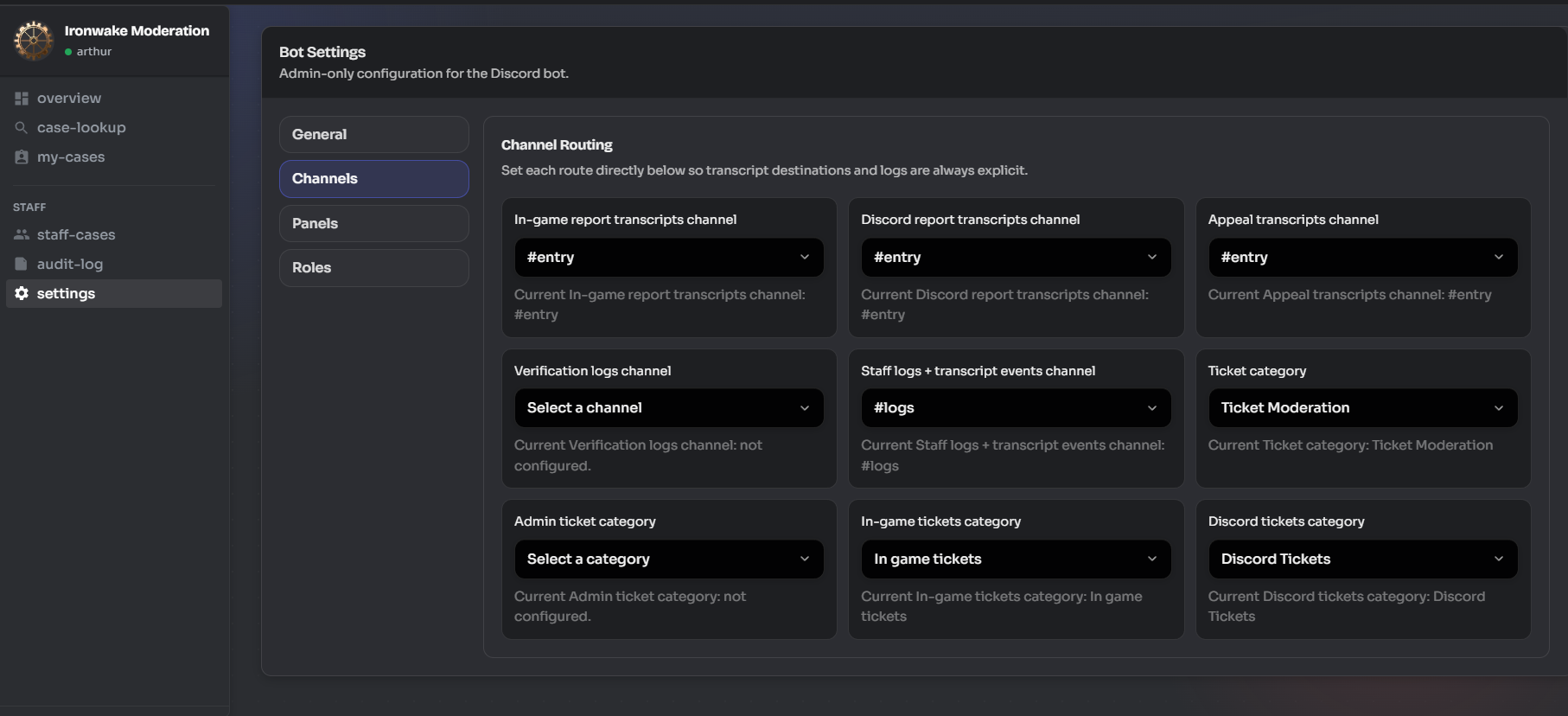
/ticket open-case.Channel Routing
Panel Deployment
Ingame reports panel
Discord reports panel
Game ban appeal panel
Discord ban appeal panel
Tickets — private channel per appeal
Verify panel
EDIT ROLE
Select a role
Display
Configure how this role appears to members.
Permissions
General Server Permissions
Allows access to the staff dashboard and basic moderation features.
Allows access to server configuration and all administrative features. This is a dangerous permission.
Ticket Permissions
Allows access to in-game report tickets.
Allows access to Discord report tickets.
Allows access to ban appeal tickets.
Allows access to administrative tickets and escalations.
Moderation Actions
Can review and update case status.
Can close tickets and resolve cases.
Can escalate tickets to administrators.
Can issue bans through the Roblox API. This is a dangerous permission.
Can approve ban appeal requests.
Can deny ban appeal requests.
Can archive completed cases.
Can generate and download ticket transcripts.
Can permanently delete archived cases. This action cannot be undone.
Can manually verify users without security check.
Can access alt account detection features.
Can access and modify server configuration. This is a dangerous permission.
Verification Settings
Role assigned to users who pass Discord's security check
Role assigned to users who verify their Roblox account
Users with this permission can create new roles and edit or delete roles lower than their highest role. Also allows members to change permissions of individual channels that they have access to.
Links
Configure linked roles and integrations.
No linked roles configured for this role.
Manage Members
View and manage members with this role.
Member management will be available in a future update.